
Slop Tower Defense is a brainrot-themed Roblox tower defense game where you place units, upgrade defenses, and survive wave after wave of enemies. Redeeming codes is one of the easiest ways to boost your progress, giving you free Cash, Gems, Sheckles, Slopbux, and even rare units like Baby Rick and Isaac2 without grinding for them. Check the list below for every working code and how to redeem it.
10 Slop Tower Defense codes are active right now, including SLOP for 900 Cash and evil_kanye for 1000 Sheckles. Redeem them from the in-game Settings > Codes menu before they expire.
Table of Contents
All Active Codes
The following codes can still be used in the game. Codes are case-sensitive, so use the Copy button next to each one to avoid typos when redeeming.
| Code | Reward |
|---|---|
|
SLOP
|
900 Cash |
|
DATA WIPE 3
|
1 x Isaac2 |
|
evil_kanye
|
1000 x Sheckles |
|
bear5
|
250 x Gems + 1 x Random Item |
|
3KSERVERMEMBERS
|
200 Gems |
|
1MVISITS
|
250 Gems |
|
BABY_RICK
|
1 x Baby Rick |
|
SORRYABOUTSLOPBUX
|
25 Slopbux |
|
MINIUPDATE
|
Free Rewards |
|
1234
|
Free Rewards |
Expired Codes
The following redemption codes have expired and will no longer work:
- 3KCCU — 250 Gems + 5K Cash
- DATA WIPE 1 — 500 Sheckles
- DATA WIPE 2 — 500 Suns
How to Redeem Codes
- Launch Slop Tower Defense on Roblox.
- Click the Settings button on the left side of the screen.
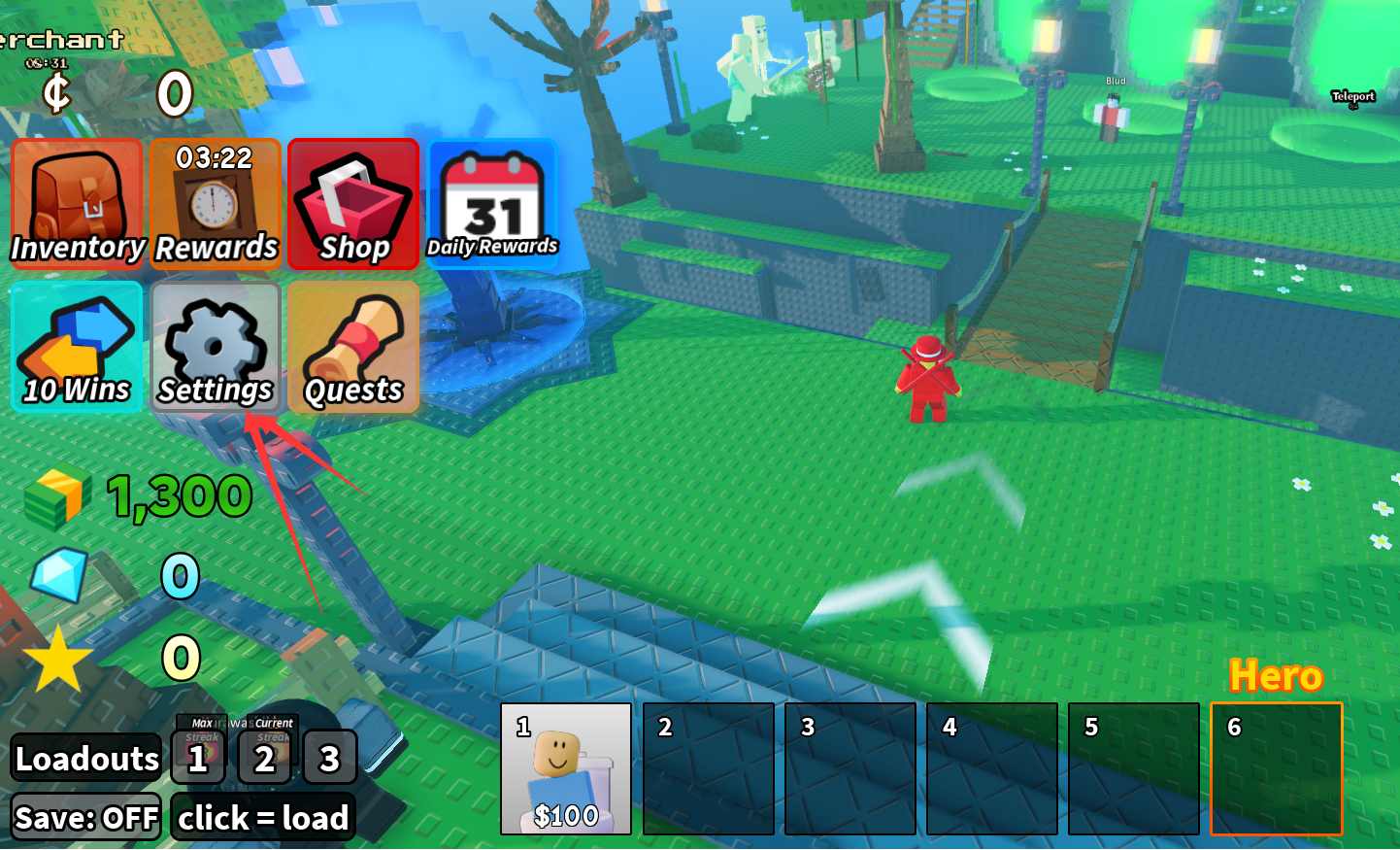
- Scroll down to find the Codes text box.
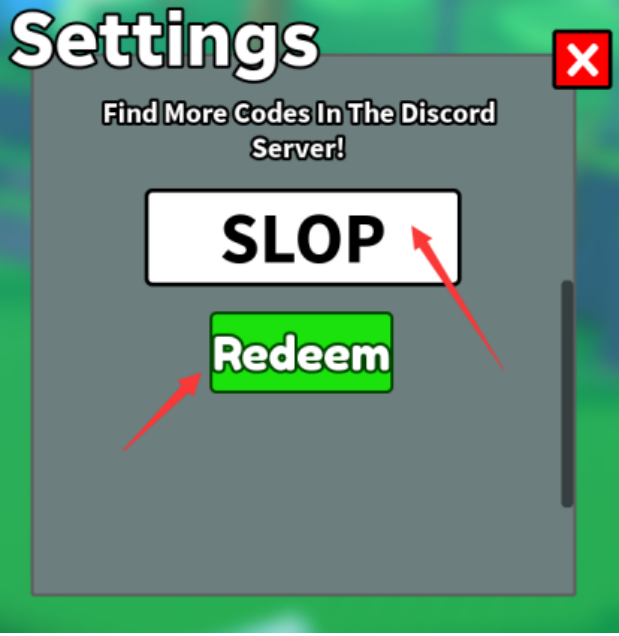
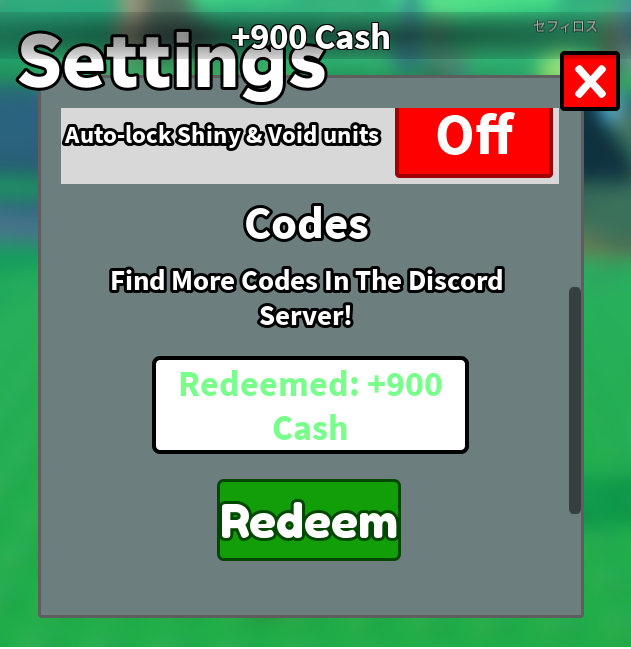
- Enter or paste a code, then click Redeem to claim your reward.
How to Get More Codes and Rewards
New Slop Tower Defense codes are usually released to celebrate milestones like server member counts and total visits, alongside major updates and special events. Keep an eye on the game's official Roblox page and community channels, and check back here regularly since new codes appear without much notice. You can also earn more Cash, Gems, and Sheckles by completing waves, finishing daily quests, and progressing further into the game.
Why Are My Slop Tower Defense Codes Not Working?
If your Slop Tower Defense codes are not working, the code may have expired, been entered incorrectly, or already been redeemed on your account. Try copying the code directly instead of typing it manually, and check that there are no extra spaces or incorrect characters — some codes like "DATA WIPE 3" include a space that's easy to miss.